

🔒 For Home / SOHO Security
Modern home and SOHO networks run 20–40 devices — smart TVs, IP cameras, NAS drives, Wi-Fi speakers, IoT appliances, and more. Many of these devices have minimal security hygiene and unknown outbound behaviors. Any of them can be silently compromised.
Passive, Zero-Impact
Reads the router's NAT session table over SSH — no inline traffic interception, no throughput penalty, no latency added to your network.
Per-Device Visibility
See exactly which IoT device or PC made which outbound connection. Device identity resolved via OUI, mDNS, SSDP, NetBIOS, and Apple model dictionary.
Automatic Threat Detection
Every connection checked in real time against Feodo Tracker, ThreatFox, URLhaus, and Spamhaus DROP. Flags C2 servers, botnets, and malware distribution hosts.
Instant Alerts
Slack DM the moment any device on your network connects to a known threat. Configurable cooldown per destination — no notification spam.
No Hardware Changes
Works with your existing Yamaha RTX router. Install on any Mac, PC, or Raspberry Pi on your LAN — nothing inline, nothing between your router and the internet.
Fully Local & Private
All processing runs on your machine. No traffic data is sent to the cloud. Enrichment lookups (GeoIP, RDAP, reverse DNS) use only destination IPs.
✦ Features
Real-time World Map
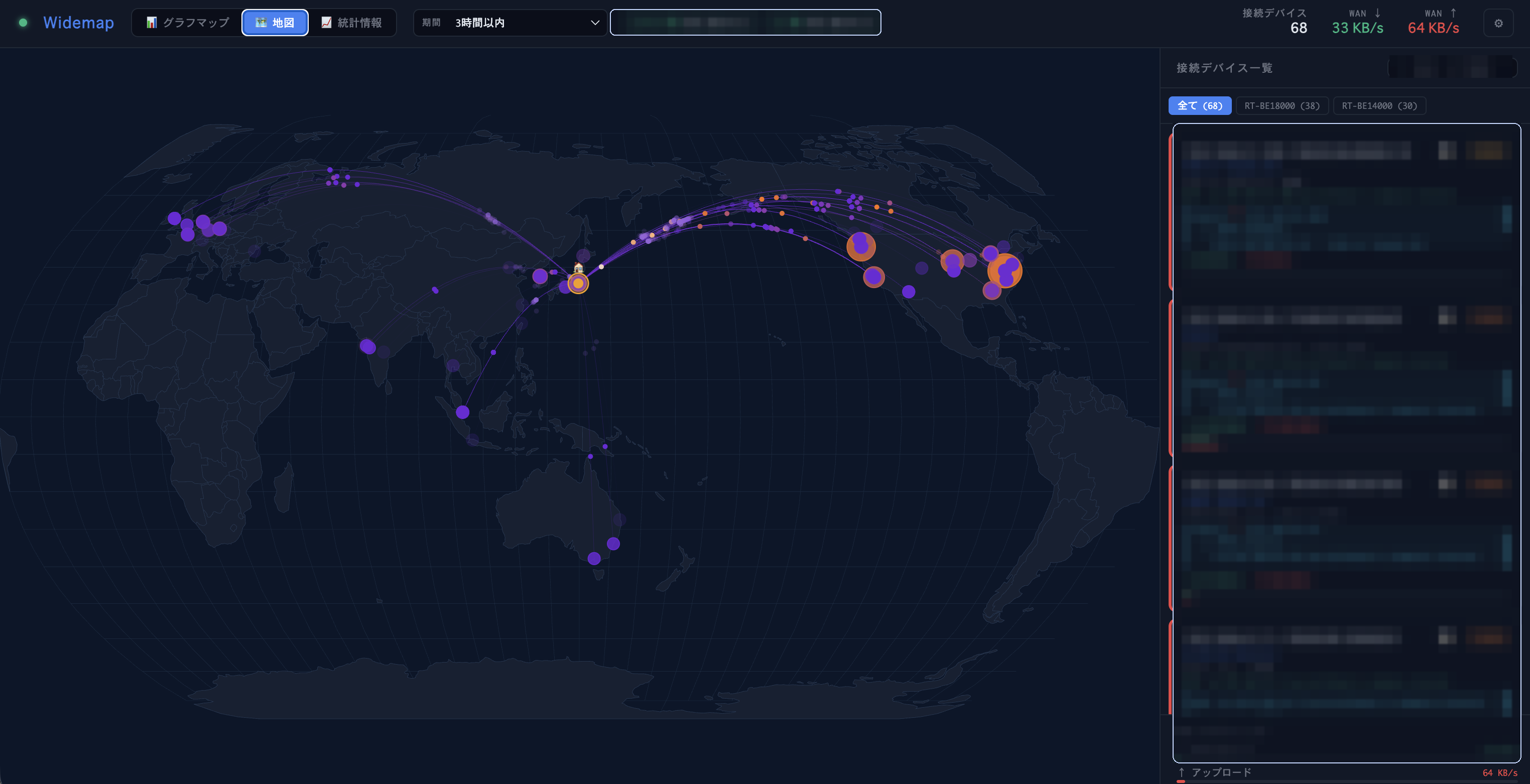
Every outbound connection plotted on an interactive map with animated arcs from your location to the destination.
Yamaha RTX Integration
SSH into your Yamaha RTX router and read NAT session tables every 60 seconds. [INSPECT] syslog fills in short-lived TCP sessions missed between polls. Supports RTX1200–RTX1300, RTX810/830.
ASUS WiFi AP Support
Get L2 client details — WiFi band, signal strength, traffic rates, and AiMesh topology from your ASUS access point.
Smart Device ID
Identify devices via OUI, mDNS/Bonjour, SSDP, NetBIOS, and an Apple model dictionary (200+ models down to "iPhone 15 Pro").
📡 DNS-Based Destination Names
Tails a local dnsmasq query log to map destination IPs to meaningful domain names per device (e.g. data.meethue.com). Forward DNS takes priority over PTR reverse lookups.
IP Enrichment
Automatic reverse DNS, RDAP organization lookup, and GeoIP (city-level latitude/longitude) for every destination.
Connection History (SQLite)
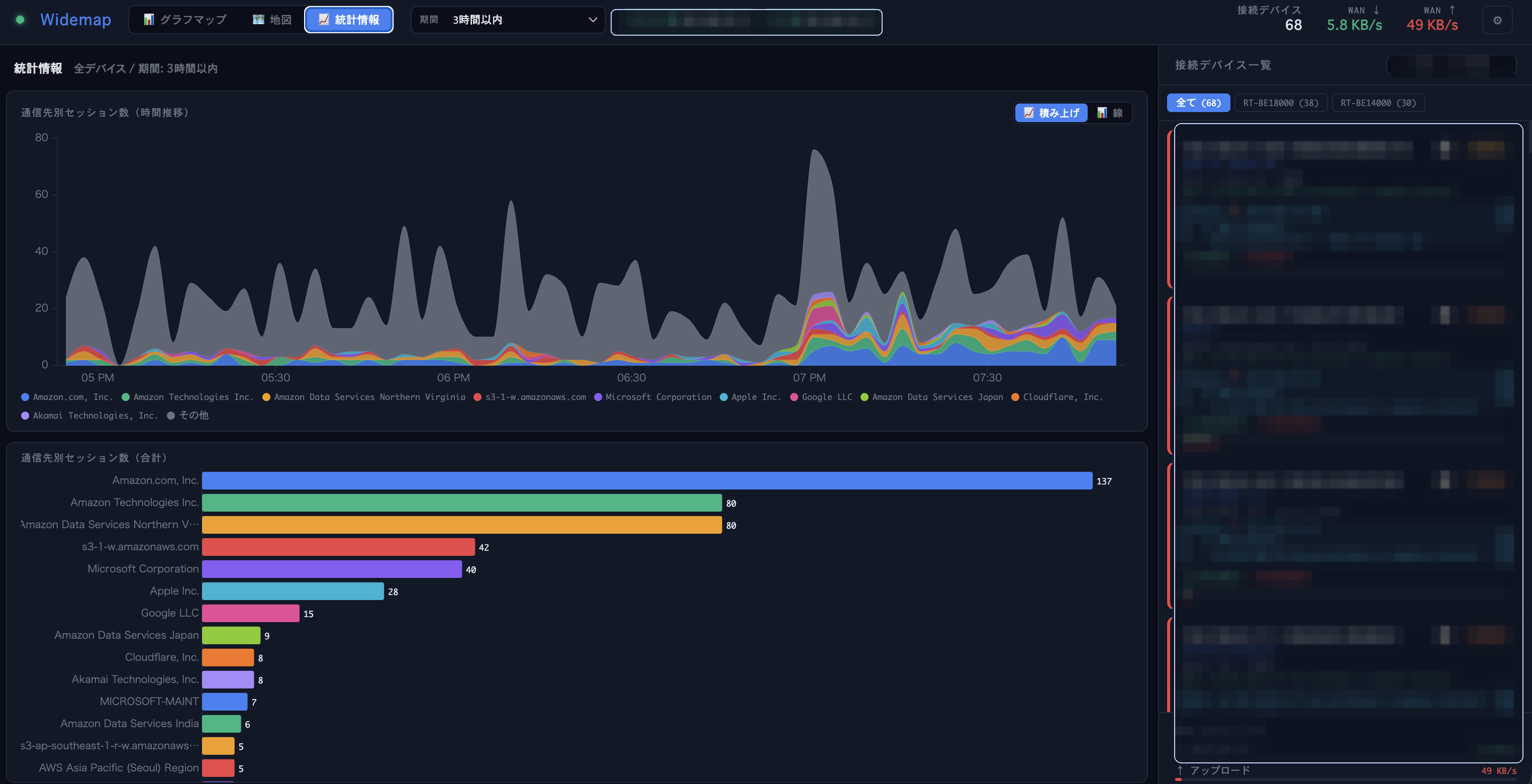
Persistent connection history in SQLite (WAL mode, crash-safe) with configurable retention up to 2 years, time-series charts, and per-destination statistics.
🛡️ Threat Detection
Matches all connections against Feodo Tracker, ThreatFox, URLhaus, and Spamhaus DROP. Three confidence levels with actionable guidance.
🔔 Slack Notifications
Instant Slack DM when a threat is detected. Configurable cooldown per destination. Message language follows the UI language setting.
📋 Connection Log
Sortable, searchable table of all sessions. Per-column filters (text, regex, date range). Threat rows highlighted with click-to-detail popup.
▶ Demo
UI language: English / Japanese selectable
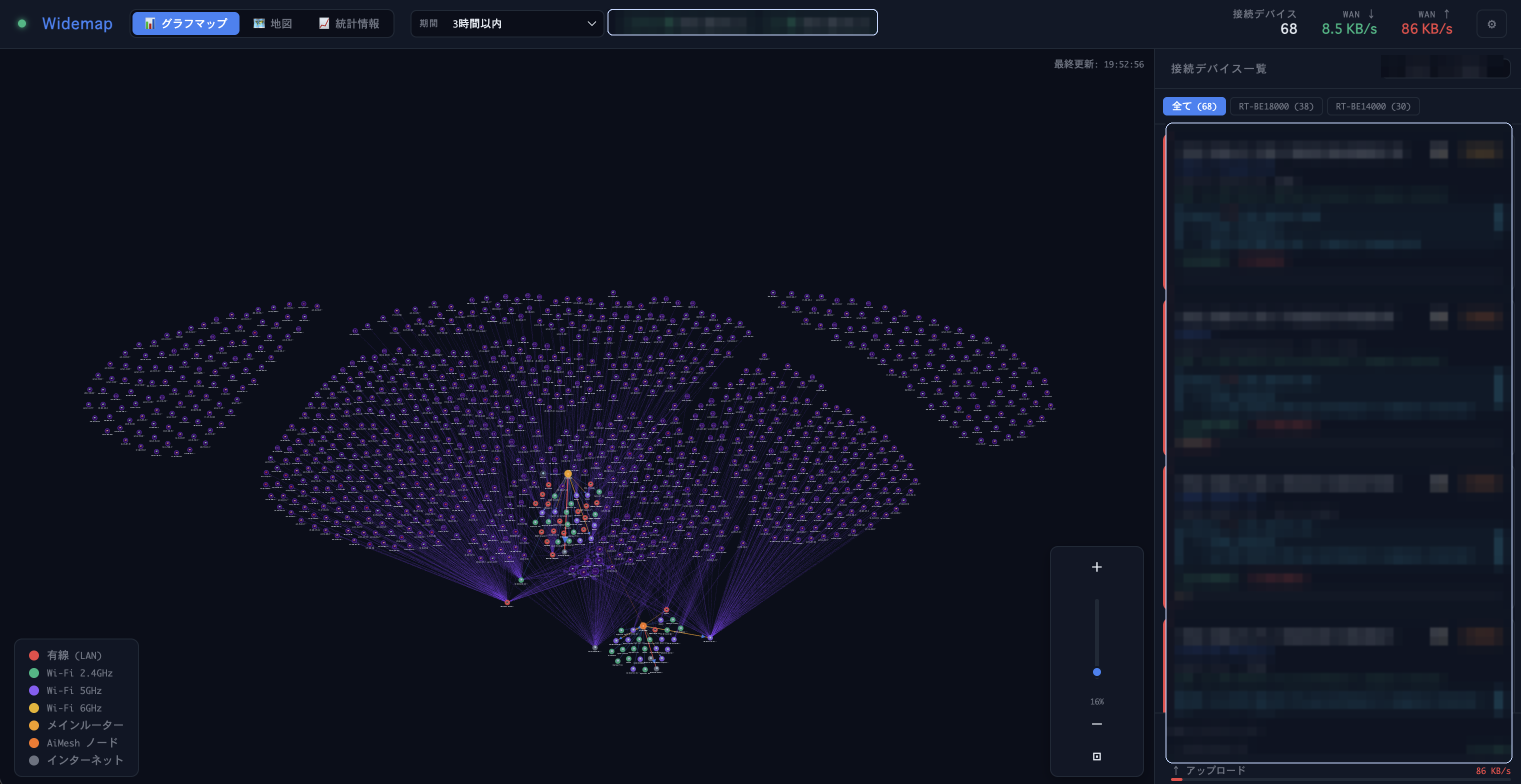
Visualise NAT session data as a force-directed network graph, animated arcs on a world map, and time-series trend charts — all updating in real time.
The sidebar lists every device on your LAN, enriched with hostnames, vendor names, and model info beyond just IP and MAC addresses. Select a device to filter the map and graph to show only its active connections.
◈ Screenshots
⬡ Architecture
┌─────────────────┐  SSH(NAT)   ┌──────────────────────┐
│  Yamaha RTX     │◄───────────►│                      │
│  [INSPECT] log  │  syslog/UDP │   Widemap Server     │  WebSocket
│  [DHCPD] log    │────────────►│   (Node.js)          │◄──────────► Browser
└─────────────────┘             │                      │
┌─────────────────┐  HTTP       │  Pollers:            │
│  ASUS WiFi AP   │◄───────────►│  • yamaha (SSH)      │
│  (Client list)  │             │  • asus (HTTP)       │
└─────────────────┘             │  • inspect-syslog    │
┌─────────────────┐  tail -F    │  • dhcpd-syslog      │
│  dnsmasq        │────────────►│  • dnsmasq-log       │
│  query log      │             └──────────┬───────────┘
└─────────────────┘                        │
                       ┌───────────────────┼───────────────┐
                       │                   │               │
                 ┌─────┴─────┐  ┌─────────┴───┐  ┌───────┴───┐
                 │ Enrichment│  │ Threat Intel │  │  SQLite   │
                 │ • dnsmasq │  │ • Feodo      │  │  History  │
                 │ • Rev DNS │  │ • ThreatFox  │  │  (WAL)    │
                 │ • RDAP    │  │ • URLhaus    │  └───────────┘
                 │ • GeoIP   │  │ • DROP       │
                 │ • OUI     │  └─────────────┘
                 │ • mDNS    │
                 └───────────┘
▶ Quick Start
Step 1 — Prerequisites
| ✅ | Node.js 18+ on your Mac / PC / Raspberry Pi | nodejs.org → |
| ✅ | Yamaha RTX router — SSH access enabled | Setup guide → |
| ☐ | (Optional) ASUS WiFi AP — web admin enabled | Setup guide → |
Step 2 — Install and launch
git clone https://github.com/yo1t/widemap.git
cd widemap
npm install
npm start
Step 3 — Open the browser and enter the admin token
On first startup the token is printed to the console:
══════════════════════════════════════
  Widemap admin token (initial):
  a1b2c3d4e5f6...
  → Enter this in the browser
══════════════════════════════════════
Open http://localhost:3000 and enter the token.
Step 4 — Configure your router in Settings (⚙)
| Yamaha RTX IP | LAN IP of your router (e.g. 192.168.1.1) |
| SSH username / password | Set up in the Yamaha guide |
| NAT descriptor number | Run show nat descriptor on the router — typically 100 |
| ASUS AP IP / password | AP's LAN IP and admin password (ASUS guide) |
Devices and connections will start appearing on the map within a few seconds.
◎ Supported Hardware
Yamaha RTX (L3/L4)
RTX1200, RTX1210, RTX1220, RTX1300, RTX810, RTX830, NVR500, NVR510, NVR700W — any model with SSH + NAT descriptor.
ASUS WiFi AP (L2)
RT-AX series, RT-AC series, ZenWiFi (AiMesh) — any model with standard web admin, used in AP/mesh mode.
◎ Issues & Feedback
Found a bug or have a feature request? Open an issue on GitHub.
⬡ Links
GitHub Repository
Source code, issues, pull requests, and contribution guidelines.
README (EN)
Full documentation: setup, configuration, features, and security details.
README (日本語)
日本語版ドキュメント:セットアップ、設定、機能、セキュリティ。
Yamaha RTX Setup Guide
Step-by-step guide to enable SSH on your Yamaha RTX router.
ASUS AP Setup Guide
How to configure your ASUS access point for Widemap.
License (AGPL-3.0)
Free to use and modify. Network service deployments must share changes.