

◆ v1.9.0
A router shows what left the house but not which application sent it. v1.9.0 closes that gap: EgressView now accepts observations from an agent running on a Mac, distributed as a notarised .dmg, so a connection to an address you do not recognise arrives with the name of the program that reached for it — metadata only, never payloads. A machine becomes an agent only when an administrator approves it, and its flows are checked against the threat feeds like any other. This release also repairs a defect that made the web interface unusable for minutes at a time: selecting a Mac in the Detection Log ran an unindexed correlated query that held the event loop, so the site returned 504s until the process was restarted. The same query now takes about 1.1 seconds instead of over 30, and a watchdog restarts the process if anything else ever holds the loop. Upgrading from 1.8.0 runs database migrations; existing history is preserved.
🔒 For Home / SOHO Security
Modern home and SOHO networks run 20–40 devices — smart TVs, IP cameras, NAS drives, Wi-Fi speakers, IoT appliances, and more. Many of these devices have minimal security hygiene and unknown outbound behaviors. Any of them can be silently compromised.
Passive, Zero-Impact
Reads the router's NAT session table over SSH — no inline traffic interception, no throughput penalty, no latency added to your network.
Per-Device Visibility
See exactly which IoT device or PC made which outbound connection. Device identity resolved via OUI, mDNS, SSDP, NetBIOS, and Apple model dictionary.
Automatic Threat Detection
Every connection checked in real time against Feodo Tracker, ThreatFox, URLhaus, and Spamhaus DROP. Flags C2 servers, botnets, and malware distribution hosts.
Instant Alerts
Slack DM the moment any device on your network connects to a known threat. Configurable cooldown per destination — no notification spam.
No Hardware Changes
Works with your existing Yamaha RTX and Cisco IOS routers. Install on any Mac, PC, or Raspberry Pi on your LAN — nothing inline, nothing between your router and the internet.
Fully Local & Private
All processing runs on your machine. No traffic data is sent to the cloud. Enrichment lookups (GeoIP, RDAP, reverse DNS) use only destination IPs.
✦ Features
Overview + Drill-down Workflow
Graph Map and Statistics show the whole network at a glance. Connection Log and Devices let you pivot into sessions, destinations, notes, and device history.
Mobile Monitoring View
Check router health, traffic, devices, and detections from a phone on your VPN or private network. The responsive viewer keeps all five dashboards usable on narrow screens.
Yamaha RTX Integration
SSH into your Yamaha RTX router and read NAT session tables every 60 seconds. [INSPECT] syslog fills in short-lived TCP sessions missed between polls. Supports RTX1200–RTX1300, RTX810/830.
Formal Cisco IOS Support
Collects NAT sessions over SSH. Use Cisco alone or mix up to 10 Yamaha/Cisco routers; polling failures are isolated and duplicate observations are merged.
ASUS WiFi AP Support
Get L2 client details — WiFi band, signal strength, traffic rates, and AiMesh topology from your ASUS access point.
Smart Device ID
Identify devices via OUI, mDNS/Bonjour, SSDP, NetBIOS, and an Apple model dictionary (200+ models down to "iPhone 15 Pro").
📡 DNS-Based Destination Names
Tails a local dnsmasq query log to map destination IPs to meaningful domain names per device (e.g. example.com). Forward DNS takes priority over PTR reverse lookups.
IP Enrichment
Automatic reverse DNS, RDAP organization lookup, and GeoIP (city-level latitude/longitude) for every destination.
Connection History (SQLite)
Persistent connection history in SQLite (WAL mode, crash-safe) with configurable retention up to 2 years, time-series charts, and per-destination statistics.
🛡️ Threat Detection
Matches all connections against Feodo Tracker, ThreatFox, URLhaus, and Spamhaus DROP. Three confidence levels with actionable guidance.
🔔 Slack Notifications
Instant Slack DM when a threat is detected. Configurable cooldown per destination. Message language follows the UI language setting.
📋 Connection Log
Sortable, searchable table of all sessions. Per-column filters (text, regex, date range). Threat rows highlighted with click-to-detail popup. App column infers the service name from port and destination hostname (APNs, FCM, AirPlay, QUIC, iCloud, YouTube, AWS, Slack, Zoom, Tuya Smart, and more).
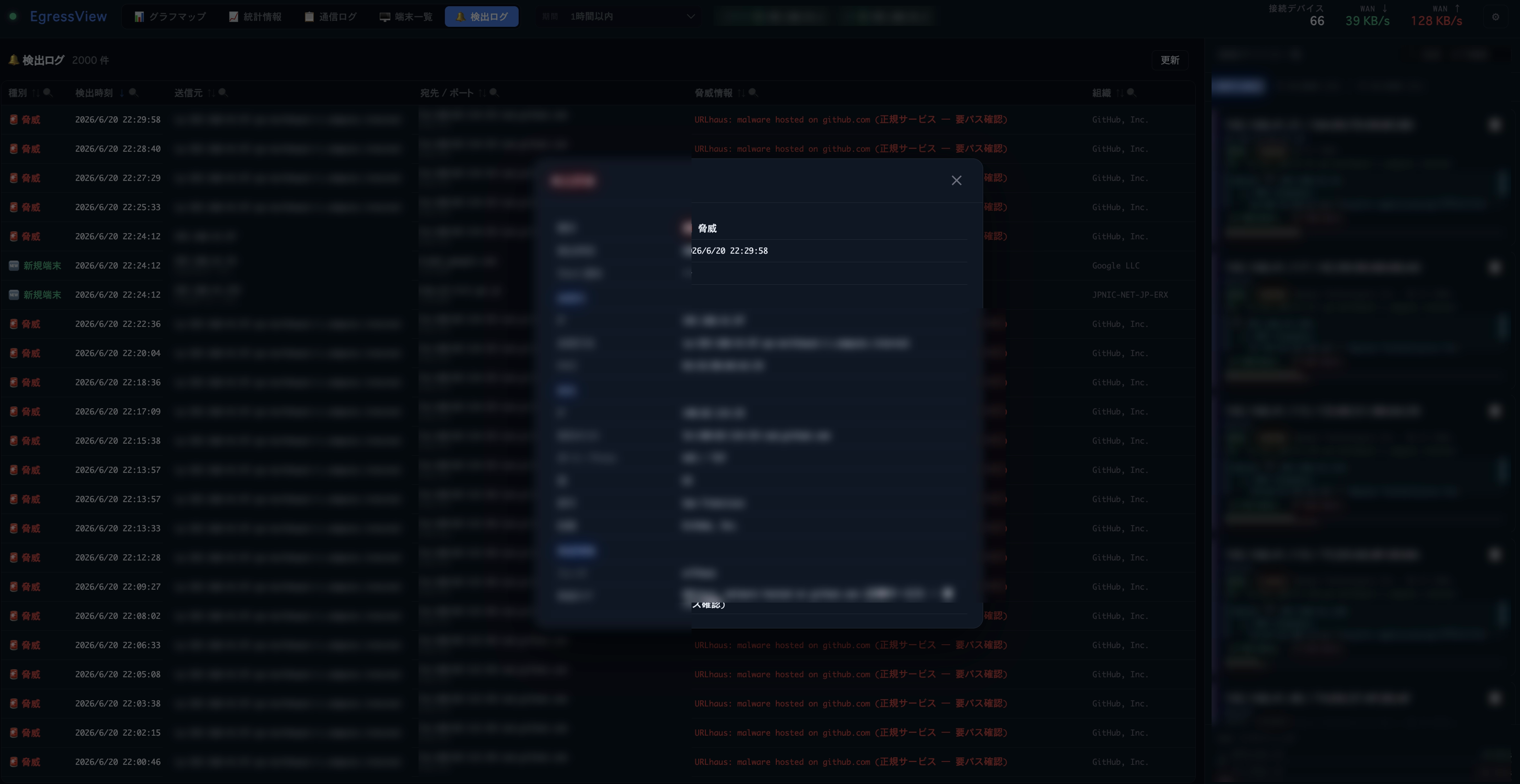
🔔 Detection Log
Persistent history of all threat detections and new-device alerts. Per-column filter, sort, and click-to-detail popup. Logged regardless of Slack configuration — always available for review.
✦ AI Insights Start Page
Opens with collection health, connections, devices, destinations, threats, and previous-period comparisons. Local statistics work without AI; only explicit actions send data to Ollama, Anthropic, OpenAI, or Amazon Bedrock for analysis/chat. Shows monthly tokens/estimated cost and the model/cost for each answer. Off-by-default event notifications can deliver daily/weekly reports and bounded threat-change analysis to UI history or Slack. Setup guide →
💻 macOS Agent
A router shows what left the house but not which application sent it. The agent reports the process behind each outbound connection from a Mac, so an unfamiliar destination arrives with the name of the program that reached for it. Metadata only — never payloads, and it blocks nothing. A machine becomes an agent only when an administrator approves it. Distributed as a notarised .dmg; needs EgressView 1.9.0 or newer. Install guide →
🤖 AI Agent Access (MCP)
Built-in Model Context Protocol server exposes 11 tools — traffic summary, threat connections, top destinations, device list, device notes, and more — to AI assistants such as AWS Kiro, Anthropic Claude, and Anysphere Cursor. Supports stdio and HTTP transport. Setup guide →
▶ Demo
UI language: English / Japanese selectable
Graph Map and Statistics give you the network-wide overview: device/destination patterns, session trends, and noisy endpoints — all updating in real time.
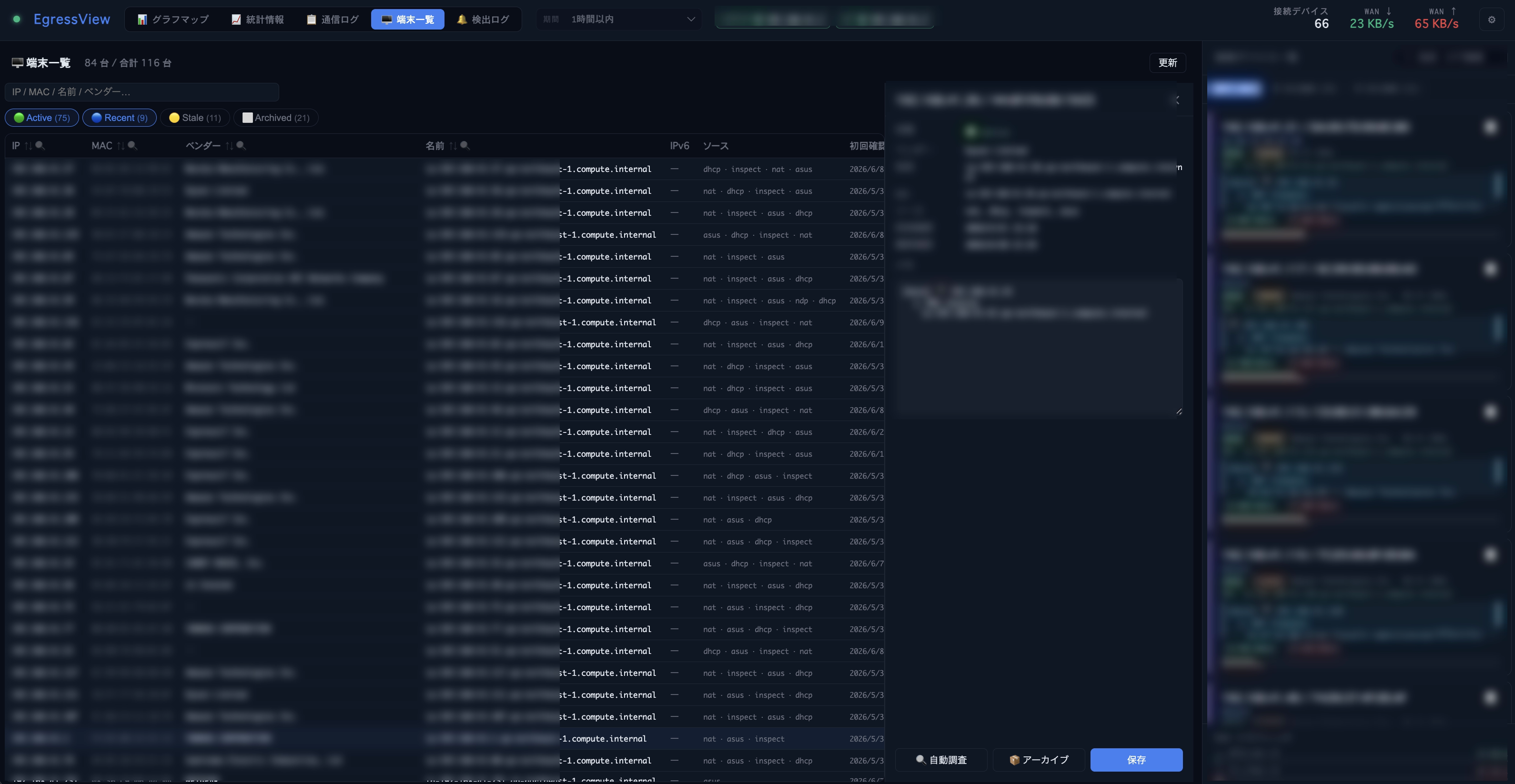
Connection Log and Devices let you drill down into suspicious destinations, noisy devices, beacon candidates, notes, and device history.
◈ Screenshots
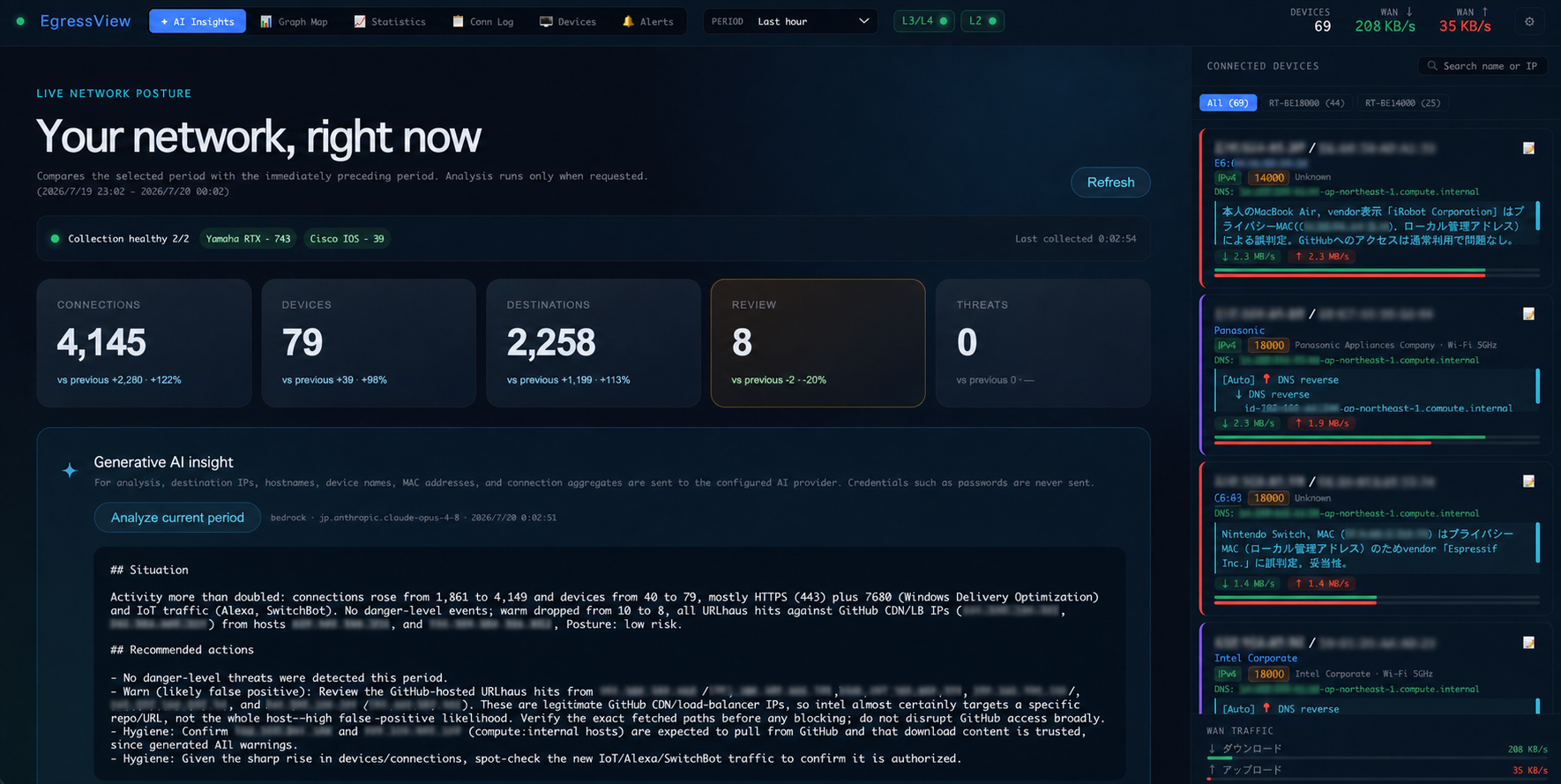
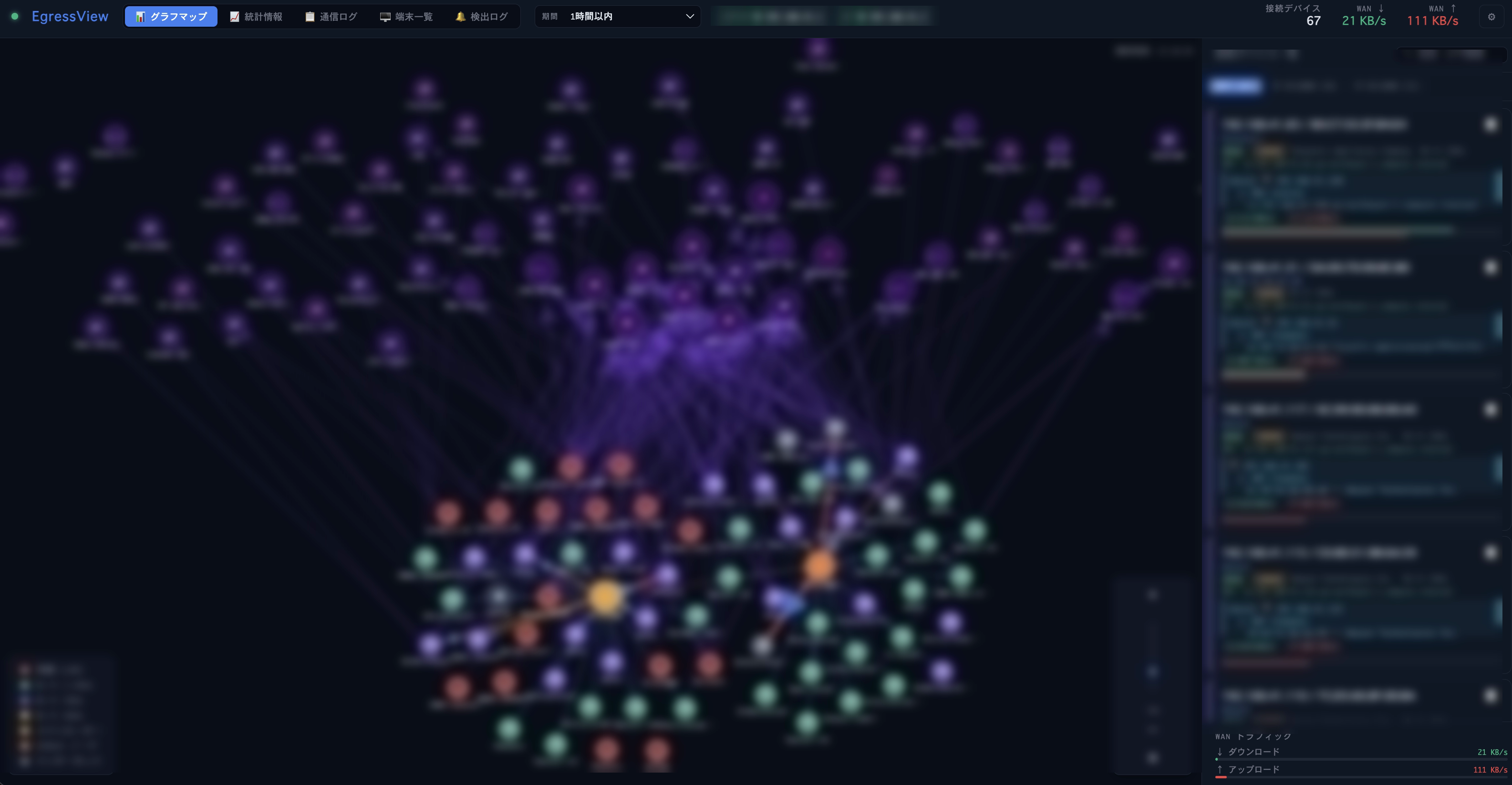
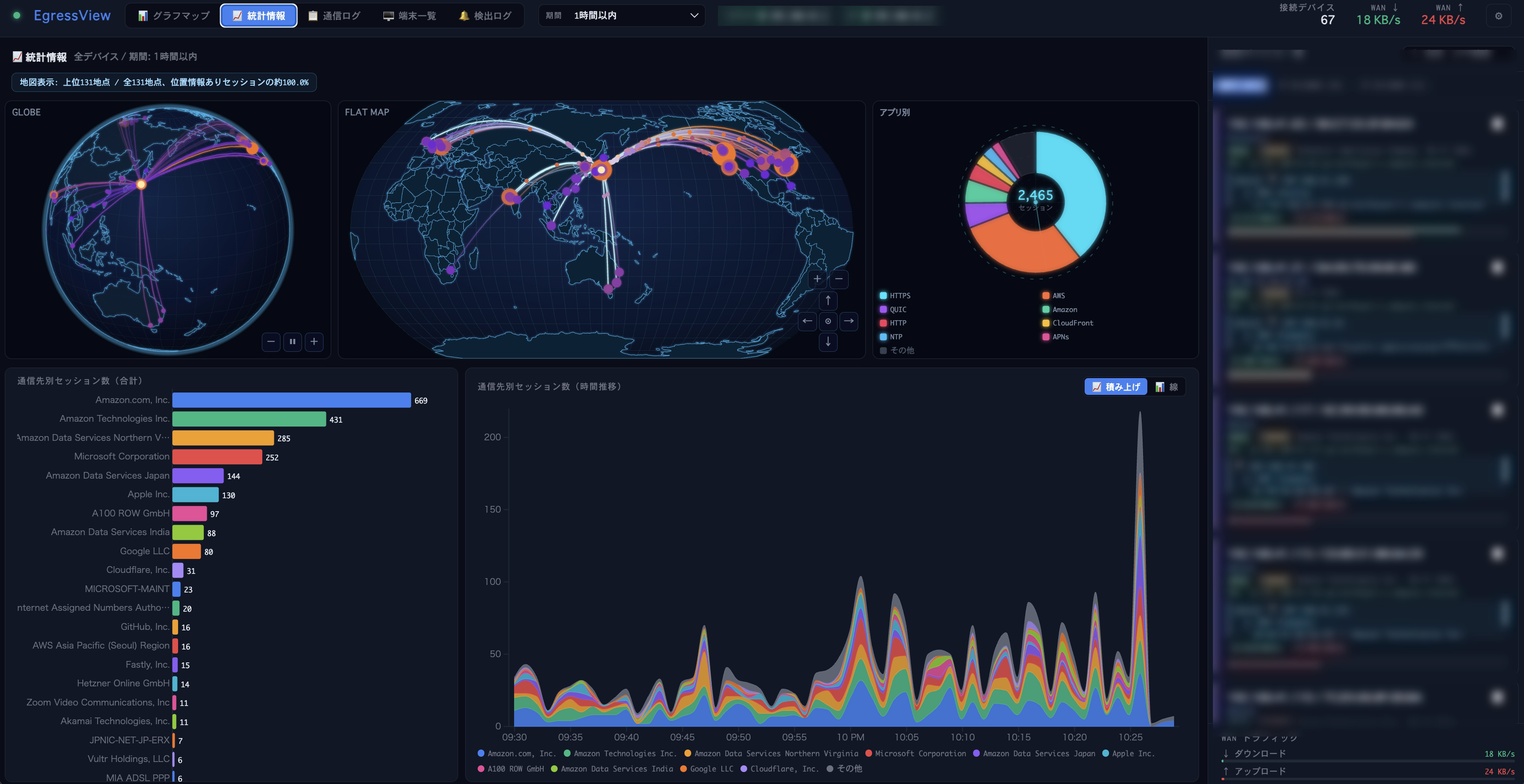
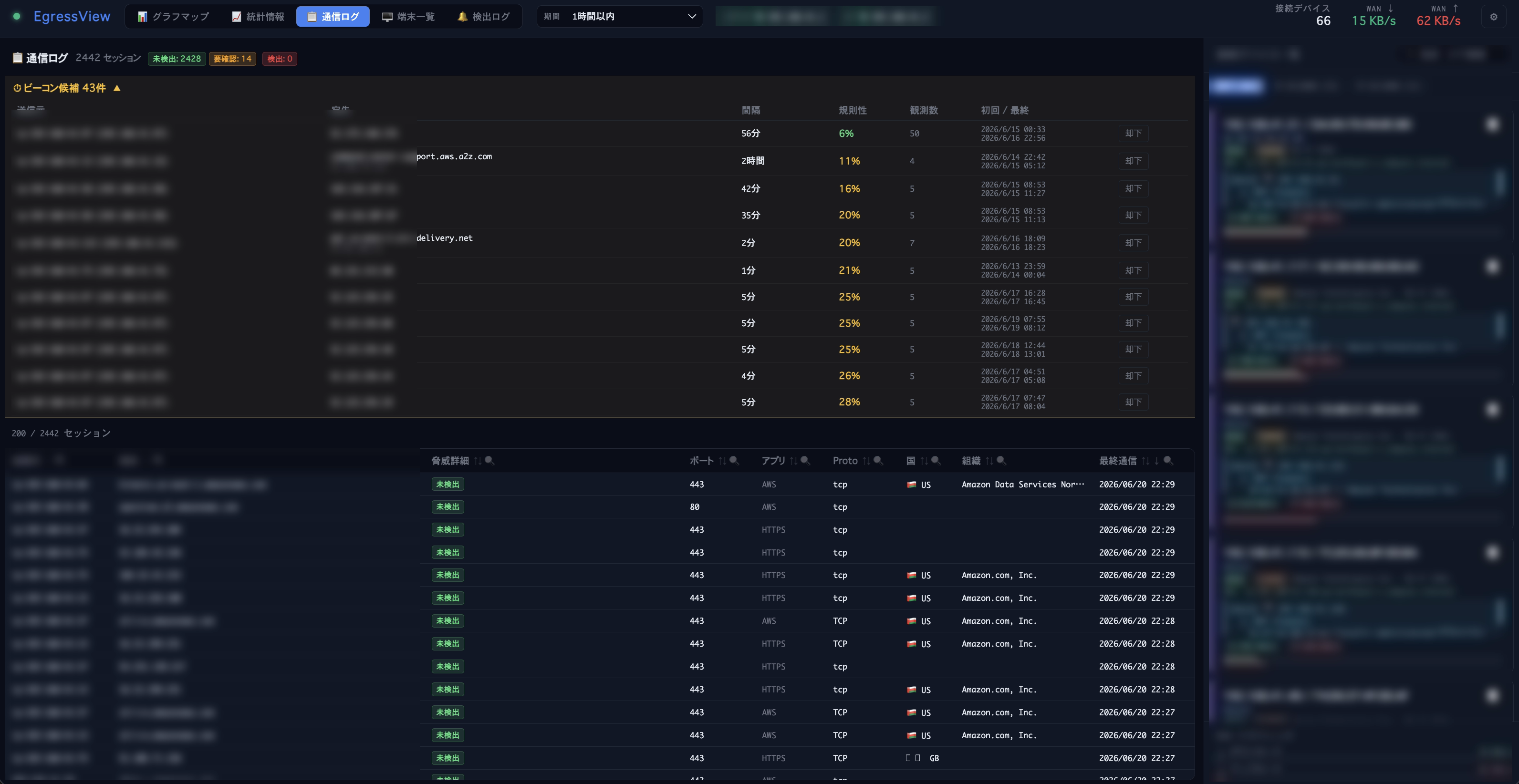
⬡ Architecture
┌─────────────────┐  SSH(NAT)   ┌──────────────────────┐  WebSocket   ┌──────────────────┐
│  Yamaha RTX     │◄───────────►│                      │◄────────────►│ Browser          │
│  [INSPECT] log  │  syslog/UDP │   EgressView Server  │  MCP         ├──────────────────┤
│  [DHCPD] log    │────────────►│   (Node.js)          │◄────────────►│ AI Assistant     │
└─────────────────┘             │                      │  stdio/HTTP  │ (Kiro, Claude…)  │
┌─────────────────┐  SSH(NAT)   │  Pollers:            │              └──────────────────┘
│  Cisco IOS      │◄───────────►│  • yamaha (SSH)      │
│  (supported)    │             │  • cisco (SSH)       │
└─────────────────┘             │  • asus (HTTP)       │
┌─────────────────┐  HTTP       │  • inspect-syslog    │
│  ASUS WiFi AP   │◄───────────►│  • dhcpd-syslog      │
│  (Client list)  │             │  • dnsmasq-log       │
└─────────────────┘             │                      │
┌─────────────────┐  tail -F    │                      │
│  dnsmasq        │────────────►│                      │
│  query log      │             └──────────┬───────────┘
└─────────────────┘                        │
                       ┌───────────────────┼───────────────┐
                       │                   │               │
                 ┌─────┴─────┐  ┌─────────┴───┐  ┌───────┴───┐
                 │ Enrichment│  │ Threat Intel │  │  SQLite   │
                 │ • dnsmasq │  │ • Feodo      │  │  History  │
                 │ • Rev DNS │  │ • ThreatFox  │  │  (WAL)    │
                 │ • RDAP    │  │ • URLhaus    │  └───────────┘
                 │ • GeoIP   │  │ • DROP       │
                 │ • OUI     │  └─────────────┘
                 │ • mDNS    │
                 └───────────┘
▶ Quick Start
Step 1 — Prerequisites
| ✅ | Node.js 22+ on your Mac / PC / Raspberry Pi | nodejs.org → |
| ✅ | At least one Yamaha RTX or Cisco IOS router — SSH enabled | Yamaha / Cisco → |
| ☐ | (Optional) ASUS WiFi AP — web admin enabled | Setup guide → |
| ☐ | (Optional) AI assistant access via MCP (AWS Kiro, Anthropic Claude, Anysphere Cursor…) | Setup guide → |
Step 2 — Install and launch
git clone https://github.com/yo1t/egressview.git
cd egressview
npm install
npm start
Step 3 — Open the browser and log in
On first startup the initial login password is shown once in an interactive terminal (or written to a mode-0600 one-time file for service startup):
══════════════════════════════════════
  EgressView login password (initial):
  KFpDqntYRfcr...
  → Log in with this password on first access
══════════════════════════════════════
Open http://localhost:3000 and enter the password.
Optional Google OIDC, revocable sessions, CSRF protection, global API rate limits, and a pseudonymous audit log are available in Settings → General.
Browser roles are least-privilege by default: local login is admin, an explicitly allowed Google email is operator, and a domain-only match is read-only.
Step 4 — Add up to 10 routers in Settings → L3/L4
| Yamaha RTX IP | LAN IP of your router (e.g. 192.168.1.1) |
| SSH username / password | Set up in the Yamaha guide |
| Cisco IOS IP / username / password | Set up in the Cisco guide |
| ASUS AP IP / password | AP's LAN IP and admin password (ASUS guide) |
Add each Yamaha/Cisco router as a named row and click Connect & Auto-detect. Routers are polled independently, and the same connection observed by several routers is stored once with every observer retained.
Devices, sessions, and statistics will start appearing in the UI within a few seconds.
◎ Supported Hardware
Yamaha RTX (L3/L4)
RTX1200, RTX1210, RTX1220, RTX1300, RTX810, RTX830, NVR500, NVR510, NVR700W — any model with SSH + NAT descriptor.
Cisco IOS (L3/L4)
Physically validated on C841M-4X-JSEC/K9 with IOS 15.5(3)M9. Up to 10 mixed routers are automated-tested; physical HA and failover are not yet validated.
ASUS WiFi AP (L2)
RT-AX series, RT-AC series, ZenWiFi (AiMesh) — any model with standard web admin, used in AP/mesh mode.
◎ Issues & Feedback
Found a bug or have a feature request? Open an issue on GitHub.
🔑 Release Signing
Portable releases carry an Ed25519 signature over the archive checksum. The public key shipped beside an archive is not a trust anchor on its own — compare its fingerprint with the DNS record below. This page and SECURITY.md are both built from the repository, so they would change together with it; the DNS record is served under separate credentials, which is what makes the comparison mean anything.
$ dig +short TXT _egressview-release.egressview.comActive signing key
key id egressview-release-2026 · Ed25519
SHA256:6288265bd746d230a3637e3a520e2335f48dc939a4d76d7b05c44ea5baf3eccc
Compare the complete value; a prefix or suffix match is not a match. The private half is held in AWS KMS and cannot be exported. Verifying a release needs no AWS access — only openssl and the published public key. See the distribution guide for the verification commands.
⬡ Links
GitHub Repository
Source code, issues, pull requests, and contribution guidelines.
README (EN)
Full documentation: setup, configuration, features, and security details.
README (日本語)
日本語版ドキュメント:セットアップ、設定、機能、セキュリティ。
Yamaha RTX Setup Guide
Step-by-step guide to enable SSH on your Yamaha RTX router.
Cisco IOS Setup Guide
Production setup guide for collecting Cisco IOS NAT sessions securely over SSH.
ASUS AP Setup Guide
How to configure your ASUS access point for EgressView.
AI Agent Access (MCP)
Ask AWS Kiro, Anthropic Claude, Anysphere Cursor, or another MCP-capable assistant about your network in natural language — threat summaries, top destinations, new devices, device notes, alerts, and more. 11 tools included.
REST API Reference
Authentication, all implemented endpoints, connection filters, exports, router management, and backup safety.
Architecture Guide
Multi-router collection, observation deduplication, SQLite lifecycle, interfaces, and security boundaries.
License (AGPL-3.0)
Free to use and modify. Network service deployments must share changes.